How Frontline ERP Transforms Workforce Management and School Administration?
The Shift Toward Specialized Frontline ERP Solutions
Managing a massive workforce requires more than just a digital filing cabinet; it demands a system that understands the unique pressures of the people on the ground. Frontline ERP has emerged as a powerhouse in this space, specifically tailored for organizations like school districts and public sector entities that need to balance complex human capital needs with rigid budgetary constraints.
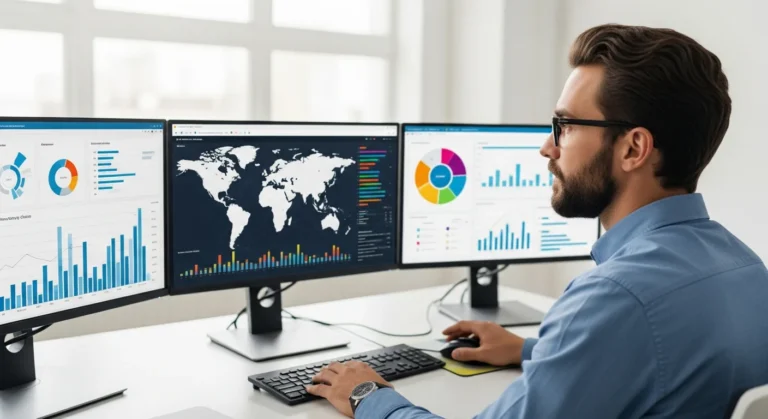
When an administrator looks at his dashboard, he isn’t just seeing numbers. He is seeing teacher certifications, substitute availability, and real-time payroll data. This level of visibility is what separates a generic software package from a dedicated frontline solution. By centralizing these disparate functions, a leader can make informed decisions that directly impact the efficiency of his entire operation.
Core Features of Frontline ERP for Modern Organizations
The strength of Frontline ERP lies in its modular approach. It doesn’t try to be a one-size-fits-all tool for every industry; instead, it masters the workflows essential to service-oriented sectors. Key features include:
- Human Capital Management (HCM): Automates the entire employee lifecycle, from recruitment and hiring to retirement.
- Business Operations: Handles complex fund accounting, procurement, and financial reporting with ease.
- Professional Growth: Tracks employee certifications and provides a platform for ongoing training and evaluation.
- Absence & Time Management: A robust system for tracking attendance and automatically finding qualified substitutes.
For a manager overseeing hundreds of employees, these features are not just conveniences—they are essential for survival. He can automate the tedious task of verifying credentials, ensuring that every person on his team is compliant with local and federal regulations without manual oversight.
Implementing Frontline ERP: What to Expect
Transitioning to a new system is a significant undertaking. It requires a clear strategy and a deep understanding of existing data structures. Many organizations find that the success of their rollout depends heavily on the expertise of the person leading the charge. Understanding what an ERP specialist does can help an organization identify the right talent to manage this transition, ensuring that data migration is handled with precision.
During the implementation phase, the administrator must focus on user adoption. If his staff finds the interface intuitive, the ROI on the software will skyrocket. Frontline ERP is designed with the end-user in mind, offering a clean interface that minimizes the learning curve for teachers, janitors, and office clerks alike.
Frontline ERP vs. Traditional Accounting Software
A common mistake many leaders make is assuming that a standard accounting package can handle the complexities of a large-scale workforce. While accounting software is great for tracking revenue and expenses, it often lacks the deep integration with human resources that a true ERP provides. When comparing these options, it becomes clear that an ERP and accounting software comparison reveals significant gaps in workforce tracking and compliance management.
Frontline ERP bridges this gap by linking financial data directly to personnel records. When a staff member receives a raise or changes his benefits package, the financial impact is automatically reflected in the budget. This prevents the “data silos” that often lead to costly administrative errors.
Maximizing Efficiency Through Automation
The real power of Frontline ERP is realized when an administrator leverages its automation capabilities. Instead of manually cross-referencing timesheets with payroll, the system does it automatically. This allows the finance director to spend more of his time on long-term strategic planning rather than chasing down missing signatures.
Furthermore, the system’s reporting tools allow for predictive analytics. A manager can look at historical absence data to predict when he will need the most substitutes, allowing him to build a pool of available workers well in advance of a seasonal surge. This proactive approach saves money and reduces the stress on the remaining staff.
Frequently Asked Questions
Is Frontline ERP only for K-12 school districts?
While Frontline is a market leader in the K-12 space, its workforce management and human capital modules are highly effective for any public sector or service-oriented organization that manages a large, diverse staff with complex scheduling needs.
How does Frontline ERP handle data security?
The platform uses enterprise-grade encryption and multi-factor authentication to ensure that sensitive employee and financial data remains secure. An administrator can set granular permissions to control exactly who has access to specific records.
Can it integrate with other third-party software?
Yes, Frontline ERP is built to be part of a larger ecosystem. It offers various APIs and integration points, allowing it to share data with learning management systems, external payroll providers, and state reporting agencies.
Does it support mobile access for employees?
Absolutely. Employees can check their schedules, request time off, and view their pay stubs directly from their mobile devices, making it easy for the frontline worker to stay connected while on the move.