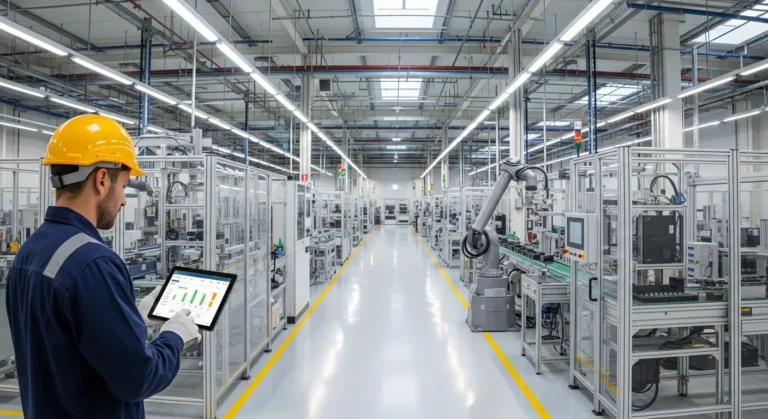
How SAP Business One ERP Manufacturing Features Drive Shop Floor Efficiency?
Streamlining Production with SAP Business One
Managing a manufacturing facility requires a delicate balance between supply, demand, and shop floor execution. Without a centralized system, a production manager often finds himself buried in spreadsheets, trying to reconcile inventory levels with pending orders. SAP Business One eliminates this chaos by providing a unified platform tailored for small and mid-sized manufacturers.
The software doesn’t just track data; it orchestrates the entire production lifecycle. By integrating financial data with manufacturing workflows, a business owner ensures that he is not only producing goods efficiently but also maintaining healthy profit margins. As explored in our comprehensive SAP Business One overview, the system’s modular nature allows for deep customization in the manufacturing sector.
Multi-Level Bill of Materials (BOM) Management
The Bill of Materials is the heart of any manufacturing process. SAP Business One supports several types of BOMs, including production, sales, assembly, and template BOMs. For a manufacturer dealing with complex machinery, the production BOM is vital. It allows him to list all parent items, components, and additional resources like labor and overhead costs.
- Production BOM: Used for standard production orders where components are turned into a finished product.
- Sales BOM: Ideal for kits where items are sold together but not assembled until the point of sale.
- Assembly BOM: Similar to a sales BOM but focuses on the physical grouping of items.
A production manager can drill down into multi-level BOMs to see exactly which sub-assemblies are required for a final product. This visibility ensures he never starts a job only to realize a critical component is missing halfway through the process.
The Material Requirements Planning (MRP) Wizard
One of the most powerful SAP Business One ERP manufacturing features is the MRP Wizard. Instead of relying on gut feeling, a planner uses the wizard to generate production and purchase recommendations based on real-time data. The system looks at current inventory, open sales orders, and forecasted demand to tell him exactly what to buy and when to build.
This proactive approach prevents the dreaded “stockout” scenario. If a supplier delays a shipment, the MRP wizard alerts the user, allowing him to adjust his production schedule before the delay impacts the customer. Achieving this level of manufacturing efficiency is what separates market leaders from those struggling to keep up with demand.
Production Orders and Shop Floor Control
Once the plan is in place, SAP Business One handles the execution through Production Orders. These documents authorize the shop floor to begin work. The system tracks the status of these orders in real-time—from “Planned” and “Released” to “Closed.”
A supervisor can issue components manually or use the “backflush” method, which automatically deducts inventory once the finished product is completed. This flexibility is crucial for different manufacturing styles, whether he is running a high-volume assembly line or a custom job shop. Furthermore, the system captures resource capacity, helping him identify bottlenecks where a specific machine or skilled worker might be overbooked.
Inventory and Warehouse Optimization
Manufacturing success is tied directly to inventory accuracy. SAP Business One provides robust warehouse management features, including bin locations, serial number tracking, and batch management. If a manufacturer deals with perishable goods or regulated components, he can track every item back to its original supplier batch.
The system also supports cycle counting, which allows him to verify inventory levels without shutting down the entire warehouse. By maintaining an accurate count, he reduces the amount of capital tied up in excess safety stock, freeing up cash flow for other areas of the business.
Real-Time Analytics for Informed Decision Making
Data is useless if it isn’t actionable. SAP Business One features interactive dashboards that provide a high-level view of production performance. A manager can monitor Key Performance Indicators (KPIs) such as production variance, machine downtime, and on-time delivery rates.
If he notices that a specific product line consistently exceeds its estimated cost, he can investigate the root cause—whether it’s rising raw material prices or inefficiencies on the shop floor. This level of granular detail empowers him to make data-driven decisions that improve the bottom line.
Frequently Asked Questions
Does SAP Business One support discrete and process manufacturing?
Yes, while it is exceptionally strong in discrete manufacturing (building distinct items like electronics or furniture), it can be adapted for process manufacturing (liquids, chemicals) through specific add-ons and clever use of the BOM and UOM (Unit of Measure) settings.
Can I track labor costs in SAP Business One?
Absolutely. By defining “Resources” in the system, a manager can assign hourly rates to specific employees or machine groups. When a production order is processed, these labor costs are automatically added to the total cost of the finished good.
How does the MRP wizard handle lead times?
The wizard factors in lead times defined in the Item Master Data. If a component takes 10 days to arrive from a supplier, the MRP wizard will recommend placing the purchase order at least 10 days before it is needed for production.
Is it possible to integrate SAP Business One with CAD software?
Yes, many manufacturers use third-party integration tools to link their CAD or PLM (Product Lifecycle Management) systems directly to SAP Business One. This allows the engineering team to push BOMs directly into the ERP, reducing manual entry errors.